반응형
https://www.youtube.com/watch?v=Av9C7xlV0fA
06:12:10
개별 독립 실행형(누락된 공간에 대한 경로 생성하기)
src/app/
  ├── (standalone)/
  │   ├── layout.tsx          # 독립 실행형 레이아웃
  │   └── workspaces/
  │       └── create/
  │           └── page.tsx    # 워크스페이스 생성 페이지
  └── (dashboard)/            # 대시보드용 레이아웃 그룹
조건부 렌더링으로 컨텍스트에 맞는 UI 제공
- workspaceId가 없는경우 생성부터 시작하기!
src/app/(standalone)/workspaces/create/page.tsx
import { CreateWorkspaceForm } from "@/features/workspaces/component/create-workspace-form"


const WorkspaceCreatePage = () => {
    return(
        <div className="w-full lg:max-w-xl">
            <CreateWorkspaceForm/>
        </div>
    )
}

export default WorkspaceCreatePage
src/app/(standalone)/layout.tsx
import { UserButton } from "@/features/auth/components/user-button"
import Image from "next/image"
import Link from "next/link"

interface StandloneLayoutProps {
    children: React.ReactNode
}

const StandloneLayout = ({children}:StandloneLayoutProps) => {
    return(
        <main className="bg-neutral-100 min-h-screen">
            <div className="mx-auto max-w-screen-2xl p-4">
                <nav className="flex justify-between items-center h-[73px">
                    <Link href="/">
                        <Image src='/logo.svg' alt="logo" height={56} width={152}/>
                    </Link>
                    <UserButton/>
                </nav>
                <div className="flex flex-col items-center justify-center py-4">
                    {children}
                </div>
            </div>
        </main>
    )
}

export default StandloneLayout
http://localhost:3000/workspaces/create

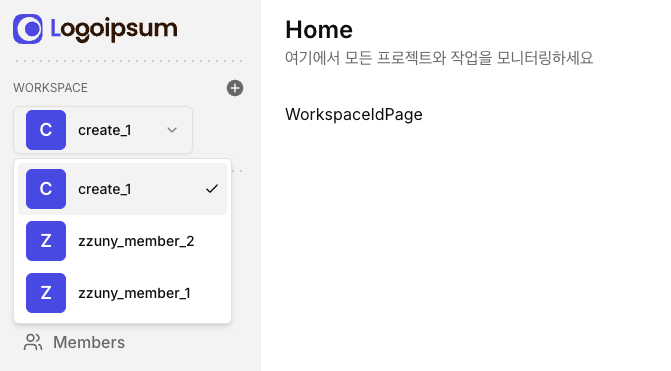
Cancel 버튼 조건부 스타일링
src/features/workspaces/components/create-workspace-form.tsx
- 독립 페이지 (/workspaces/create): Cancel 기능이 불필요 → 버튼 숨김
- 모달 내부 (/workspaces/[id]?create-workspace=true): Cancel로 모달 닫기 → 버튼 표시
import { cn } from "@/lib/utils";

<Button
    type="button"
    size="lg"
    variant='secondary'
    onClick={onCancel}
    disabled={isPending}
    className={cn(!onCancel && "invisible")}
    // onCancel prop이 전달되지 않으면 버튼을 invisible 처리하여 레이아웃은 유지하되 시각적으로 숨김
>
    Cancel
</Button>
워크스페이스 ID 페이지 보안
- 워크스페이스 ID 페이지에서 로그아웃 시 로그인 페이지로 리다이렉트되지 않는 문제
- 서버 사이드 인증 체크로 보안 강화
src/app/(dashboard)/workspaces/[workspaceId]/page.tsx
import { getCurrent } from "@/features/auth/actions";
import { redirect } from "next/navigation";

const WorkspaceIdPage = async() => {

    const user = await getCurrent();
    if(!user) redirect("/sign-in")

    return(
        <div>
            WorkspaceIdPage
        </div>
    )
}

export default WorkspaceIdPage;
src/app/(standalone)/workspaces/create/page.tsx
import { getCurrent } from "@/features/auth/actions";
import { CreateWorkspaceForm } from "@/features/workspaces/component/create-workspace-form"
import { redirect } from "next/navigation";


const WorkspaceCreatePage = async() => {

    const user = await getCurrent();
    if(!user) redirect("/sign-in")

    return(
        <div className="w-full lg:max-w-xl">
            <CreateWorkspaceForm/>
        </div>
    )
}

export default WorkspaceCreatePage
반응형
'Clone Coding' 카테고리의 다른 글
| Jira-clone - 서버 쿼리 리팩토링 (0) | 2025.10.11 |
|---|---|
| Jira-clone - 워크스페이스 수정(Update) 기능 구현 (0) | 2025.10.10 |
| Jira-clone - 개별 작업 공간 ID 페이지 만들기 (0) | 2025.10.02 |
| Jira-clone - 워크스페이스 멤버십 시스템 만들기 (0) | 2025.10.02 |
| Jira-clone - Workspace 목록 불러오기 (0) | 2025.10.01 |


